
Workia notifications, right inside Slack
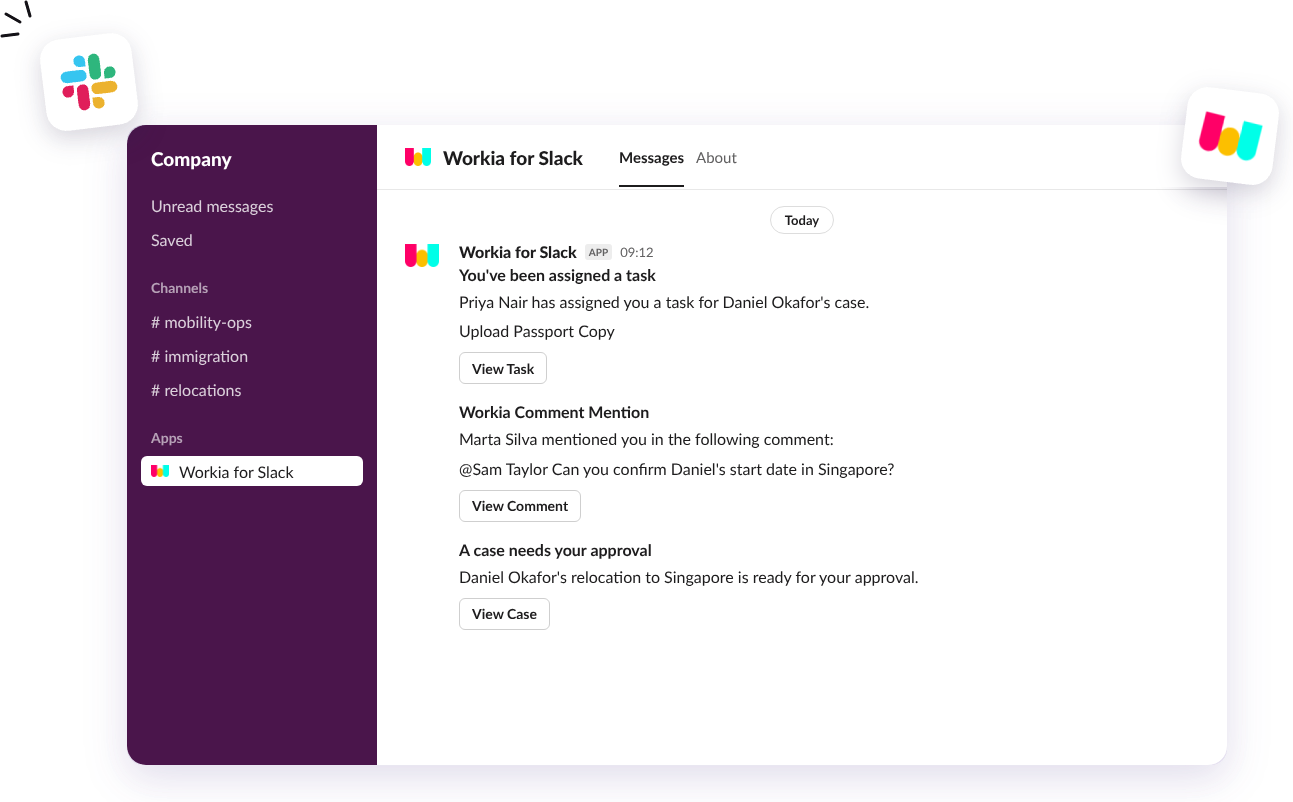
With the Workia app for Slack, you can receive important Workia notifications directly in Slack, so you can stay informed, keep conversations moving and act on important updates without constantly switching between tools.
Act on what matters without switching tools
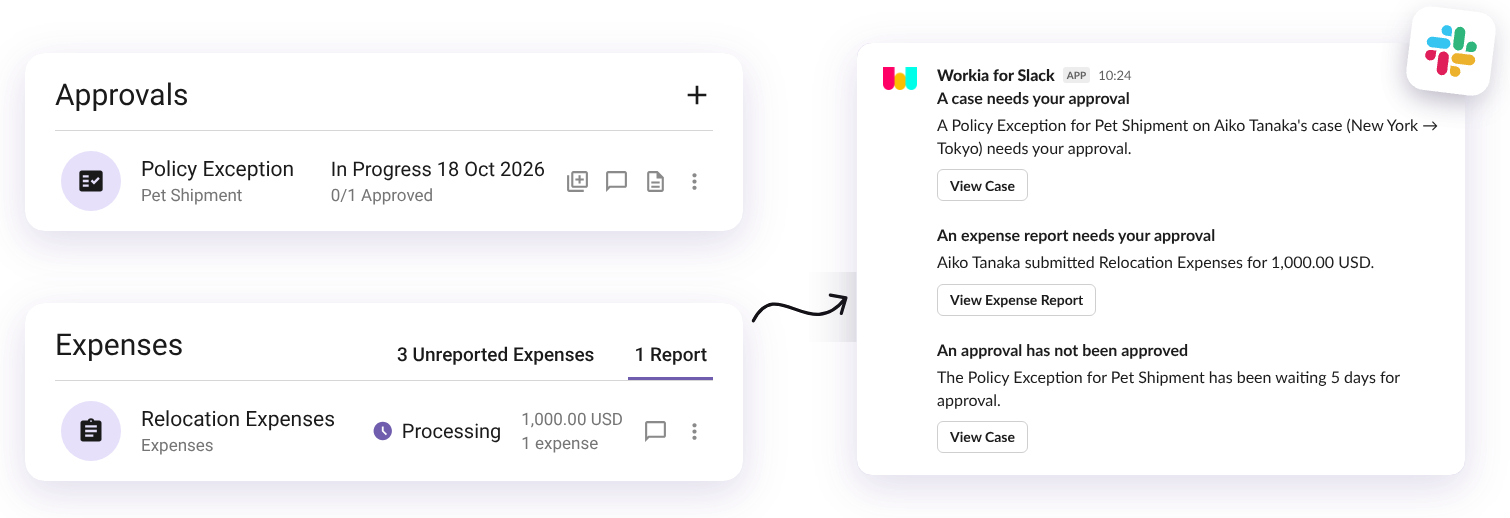
Cases, approvals, tickets, expenses, travel limits and expiring documents arrive in Slack the moment they need you — with a button to jump straight into Workia. Fewer missed updates, faster decisions and employee moves that stay on track.
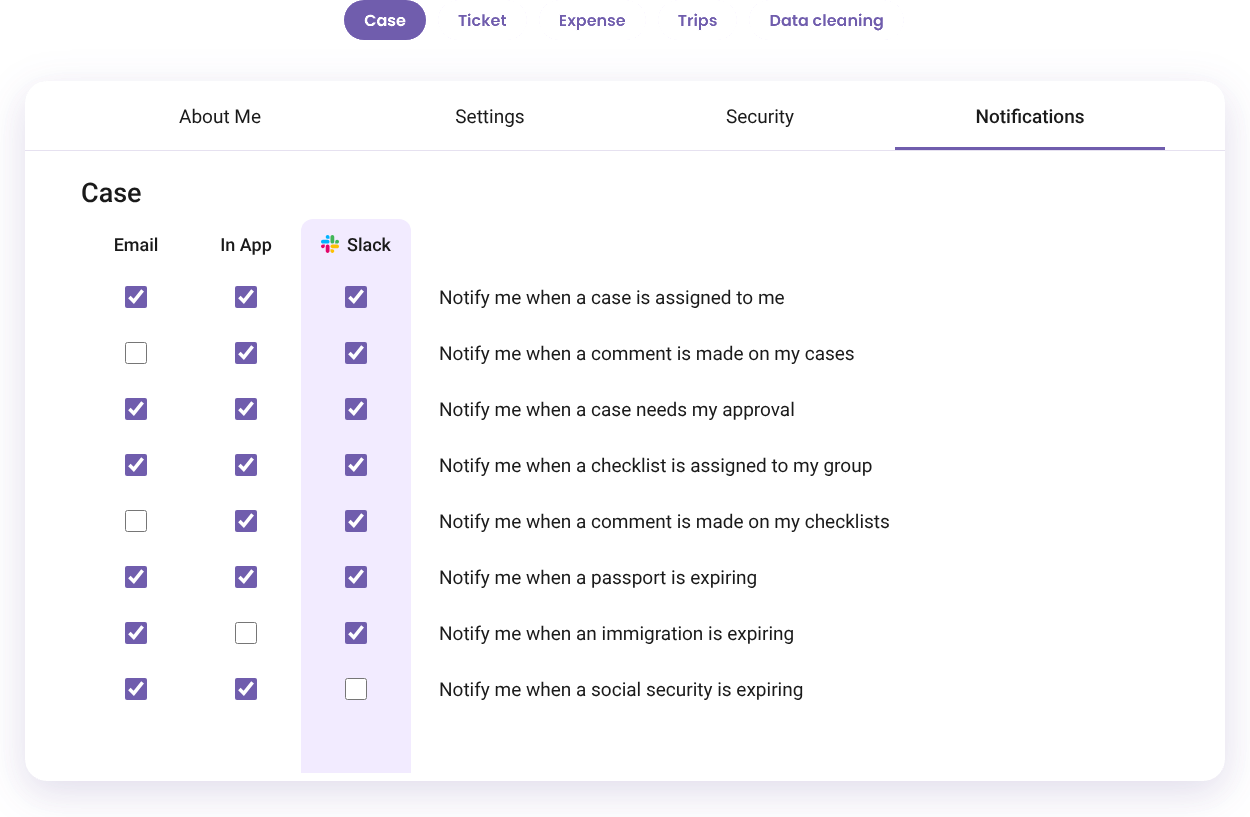
Turn notifications on or off, one by one
Choose exactly which updates reach Slack from your Workia notification settings. Keep email and in-app alerts for some, send others to Slack, and change your mind any time.
Every notification available in Slack
Choose exactly which updates reach you in Slack.
Cases and checklists
- A case is assigned to you
- A comment is made on one of your cases
- A case needs your approval
- A new mobility case is created
- A checklist is assigned to your group
- A comment is made on one of your checklists
- A passport is expiring
- An immigration document or permission is expiring
- A social security document is expiring
- An approval request requires your attention
- An email is received for a case
- A service request is initiated
Tickets
- A ticket is assigned to you
- A comment is made on one of your tickets
- A new ticket is created without an owner
- An email comment is added to your ticket
- An email is received for a ticket
Expenses
- An expense report needs your approval
Business travel
- Trips to a destination exceed set limits over a rolling 12-month period
- Trips to a destination exceed set limits within a calendar year
- Trips to a destination exceed set limits within a fiscal year
Data cleaning
- Your data cleaning job completes
- Your data cleaning job fails
Frequently asked questions
Everything you need to know about Workia for Slack.
What is an integration for Slack?
An integration for Slack (aka apps for Slack) helps you work with other online tools and services without leaving your workspace. Choose from Slack's app directory so you can add and use apps to run custom and specific commands within your channels.
Are integrations for Slack free?
A free version of Slack lets you add up to 10 apps. Meanwhile, there's no limit to how many apps you can integrate on Slack's paid plans. Any Workia user can integrate their Workia account with Slack.
Who can use this integration?
Any Workia user can use the integration for Slack. If you're part of a Slack workspace, you might need to reach out to your administrator to request the installation of the app integration.
How can I start using the Workia app for Slack?
In Workia, go to your profile icon > Settings > Connections, click Connect next to Slack, choose your workspace and click Allow. Each person then picks the notifications they want in their own notification preferences. Messages are sent to people whose Workia email matches their Slack account. Find step-by-step instructions in our Help Center.
Where can I view your privacy policy?
You can view our privacy policy here.
Ready to make global mobility easier?
See Workia in action. Book a guided walkthrough or jump straight into a self-serve product tour.